Mānoa RoomieMatch
Table of contents
- Overview
- Team
- Our Github
- Deployment
- User Guide
- Community Feedback
- Developer Guide
- Development History
- Continuous Integration
- Example enhancements
Overview
Mānoa RoomieMatch is a web application that provides UH students with a personalized, AI-enhanced roommate matching experience. Students log in and create a lifestyle profile covering sleep routines, cleanliness standards, study habits, noise tolerance, guest expectations, cooking frequency, personality traits, and budget/space preferences. The system compares profiles to generate a compatibility score, along with an AI-generated explanation describing areas of alignment and potential conflict. Students can browse matches, view detailed comparisons, and reach out to peers they’re compatible with. In addition, the system can generate AI-assisted communication templates, personalized housing advice, and conflict-prevention tips based on the student’s preferences.
It illustrates various technologies useful to ICS software engineering students, including:
- HTML and CSS for structuring web content and styling pages using standard markup and style sheets.
- Next.js for server-side rendering and routing in React applications.
- React for component-based UI implementation and efficient client-side rendering.
- React Bootstrap for responsive UI design using Bootstrap components in React.
The problem:
Every semester, hundreds of UH Mānoa students struggle to find compatible roommates—whether in the dorms (Hale Aloha, Gateway, Frear) or in off-campus apartments. This issue is amplified by the fact that approximately 31% to 36% of the UH Mānoa student population comes from out of state, meaning a large portion of students arrive in Hawaiʻi without established local connections or housing arrangements. Students commonly report conflicts due to mismatched sleep schedules, noise preferences, cleanliness expectations, guest habits, or study routines. Without a structured way to evaluate compatibility, students rely on random Snapchat and posts, word-of-mouth searching, or even dating apps, often resulting in stressful living situations, roommate conflicts, and frequent room switches.
There is currently no UH-focused platform that helps students understand whether they are compatible before committing to live together.
The solution:
Mānoa RoomieMatch will provide a convenient roommate search for UH students. It will reduce roommate conflicts through compatibility insights, and give a clear preview and expectations of potential roommates.
Team
Mānoa RoomieMatch is designed, implemented, and maintained by Kyla Kanemoto, Katelynn Crouch, Anh Minh Nguyen, Adones Morales, Kincade Morimoto and Bryan Kikugawa.
Team Contract
Our code of conduct can be found here
Our GitHub
- Mānoa RoomieMatch Organization
- Mānoa RoomieMatch Home Page
- Mānoa RoomieMatch Application
- M1 Project Board
- M2 Project Board
- M3 Project Board
Deployment
Mānoa RoomieMatch is currently being deployed on Vercel
Approach
Once a student creates their lifestyle and housing profile, the system stores their preferences and makes them available for matching.
User Flow
-
Login and Profile Setup:
Students log in using UH email authentication and complete a structured lifestyle questionnaire. Preferences include sleep schedule, cleanliness level, social habits, noise tolerance, personality, study style, daily routines, and housing goals. -
Match Browsing:
Students browse potential roommates filtered by preferences such as major, budget, dorm choice, lifestyle habits, and shared interests. - AI Compatibility Evaluation:
The system uses AI to:- Analyze two profiles
- Generate a compatibility score
- Provide strengths, conflicts, and suggestions
- Create tailored “first message” templates to contact matches
-
Notifications (optional stretch):
Students can receive notifications when new profiles appear that meet their criteria. - Admin Functions:
Admins can:- Flag inappropriate content
- Create new lifestyle categories
- Manage and review profiles
- Adjust system presets (e.g., default survey questions)
User Guide
This section provides a walkthrough of the Mānoa RoomieMatch user interface and its capabilities.
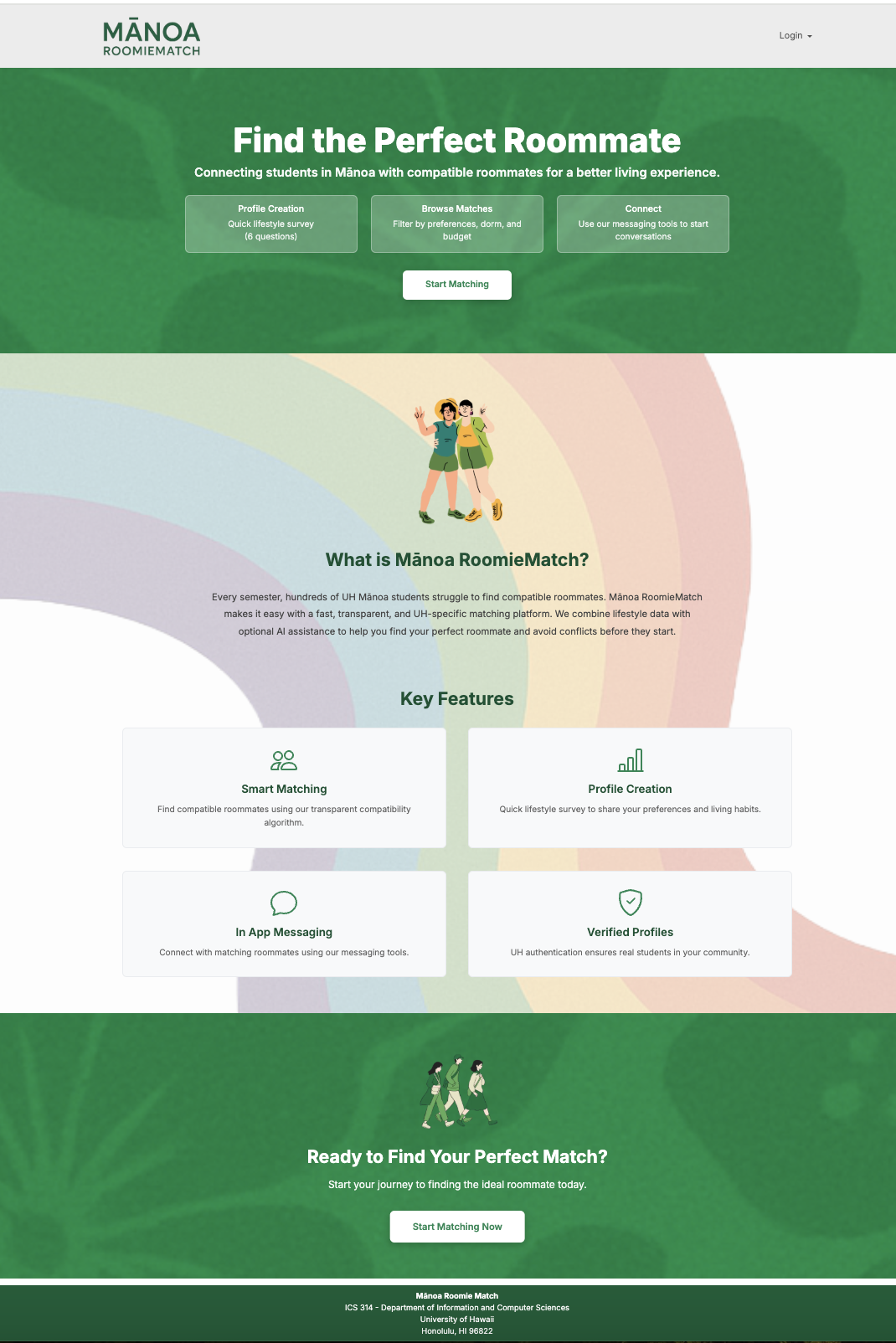
Landing Page
The landing page is displayed when users first visit RoomieMatch. It provides an introduction to the platform’s purpose and highlights its key features.
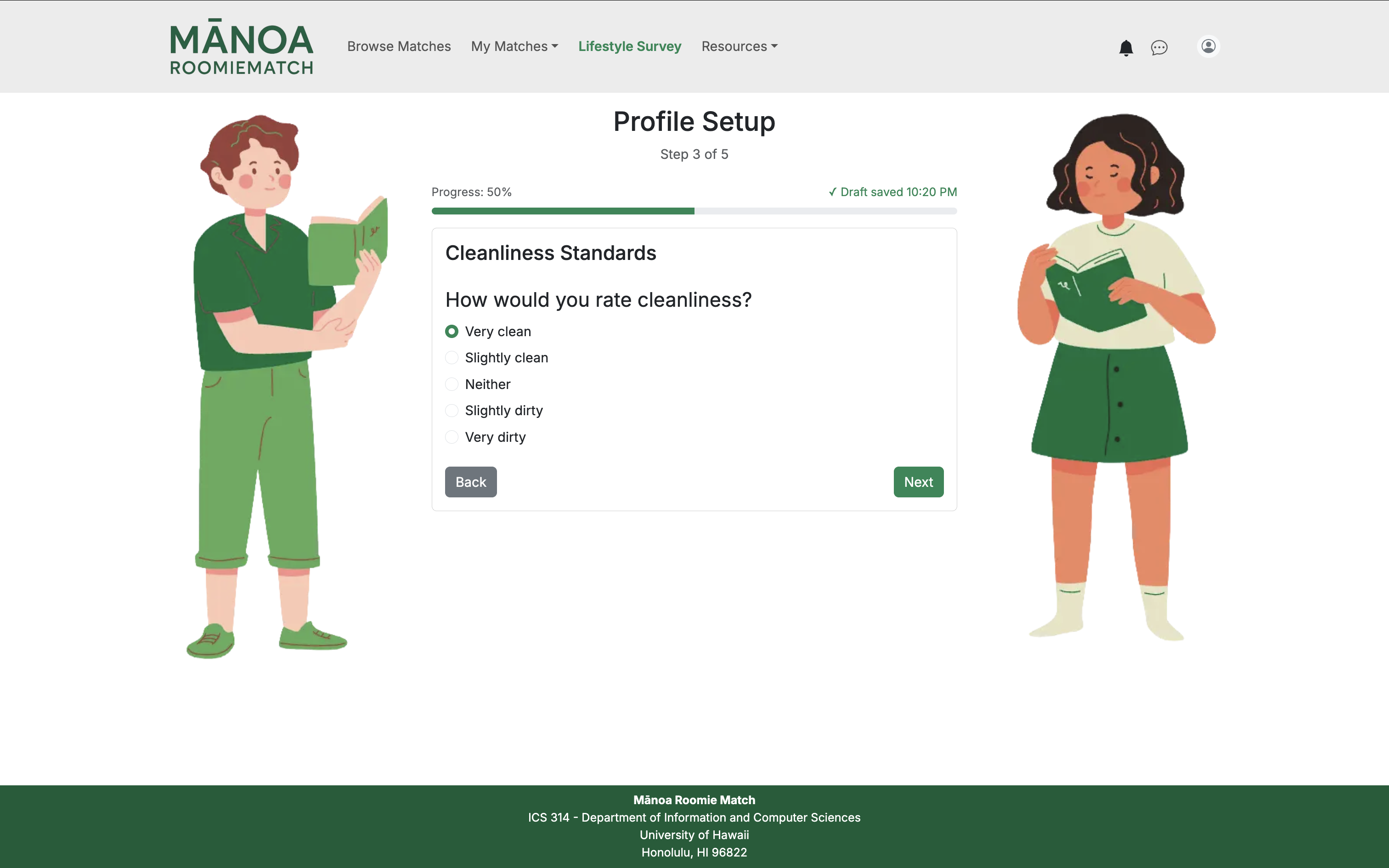
Profile Setup Page
After logging in with UH email authentication, new users are directed to the profile setup page to complete a multi-step lifestyle questionnaire.
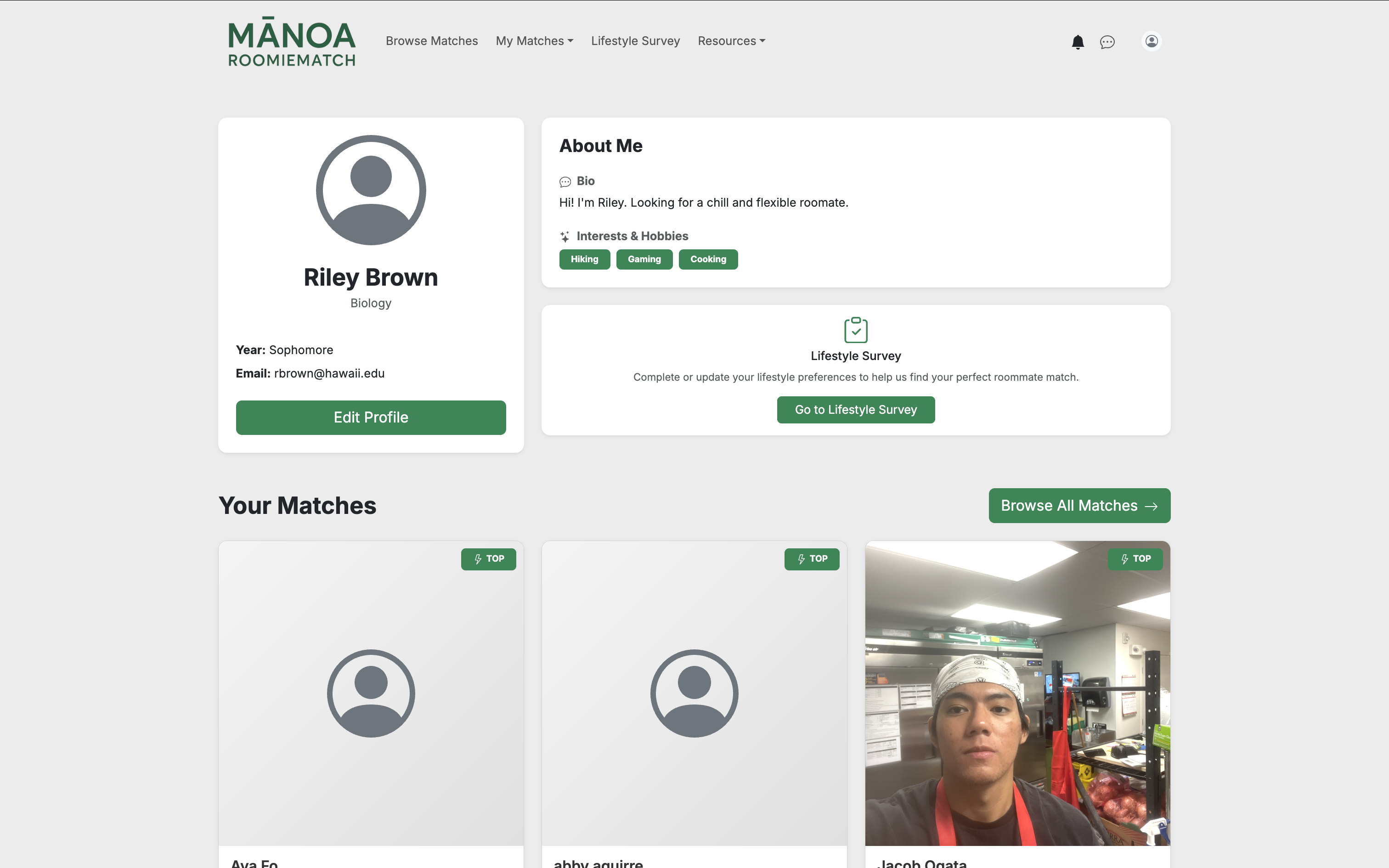
User Home Page
Once a profile is completed, users are taken to their personalized home page.
Edit Profile Page
Users can edit their lifestyle preferences, personal information, and housing details at any time.
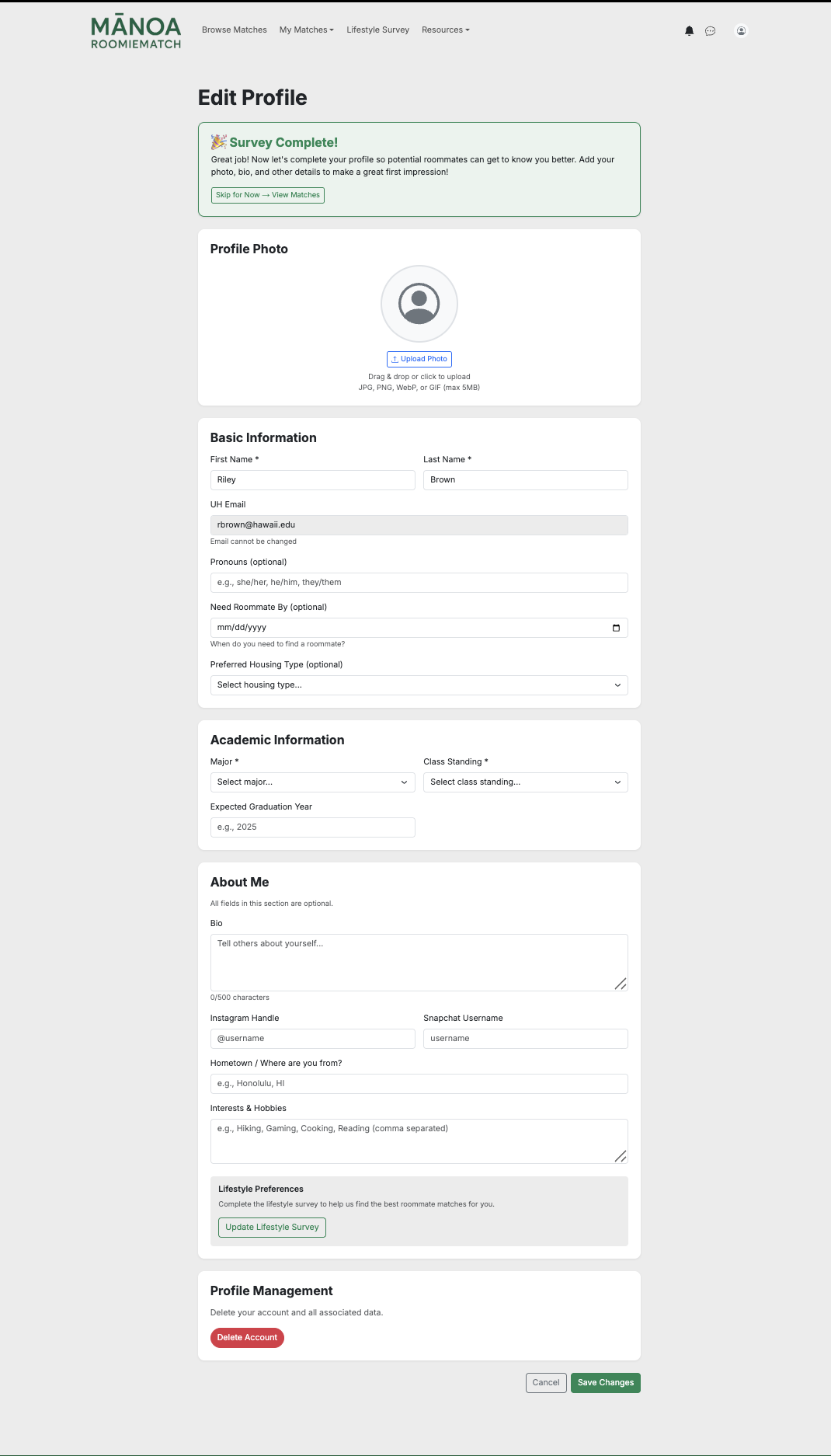
Changes made here help improve match accuracy and keep compatibility scores up to date.
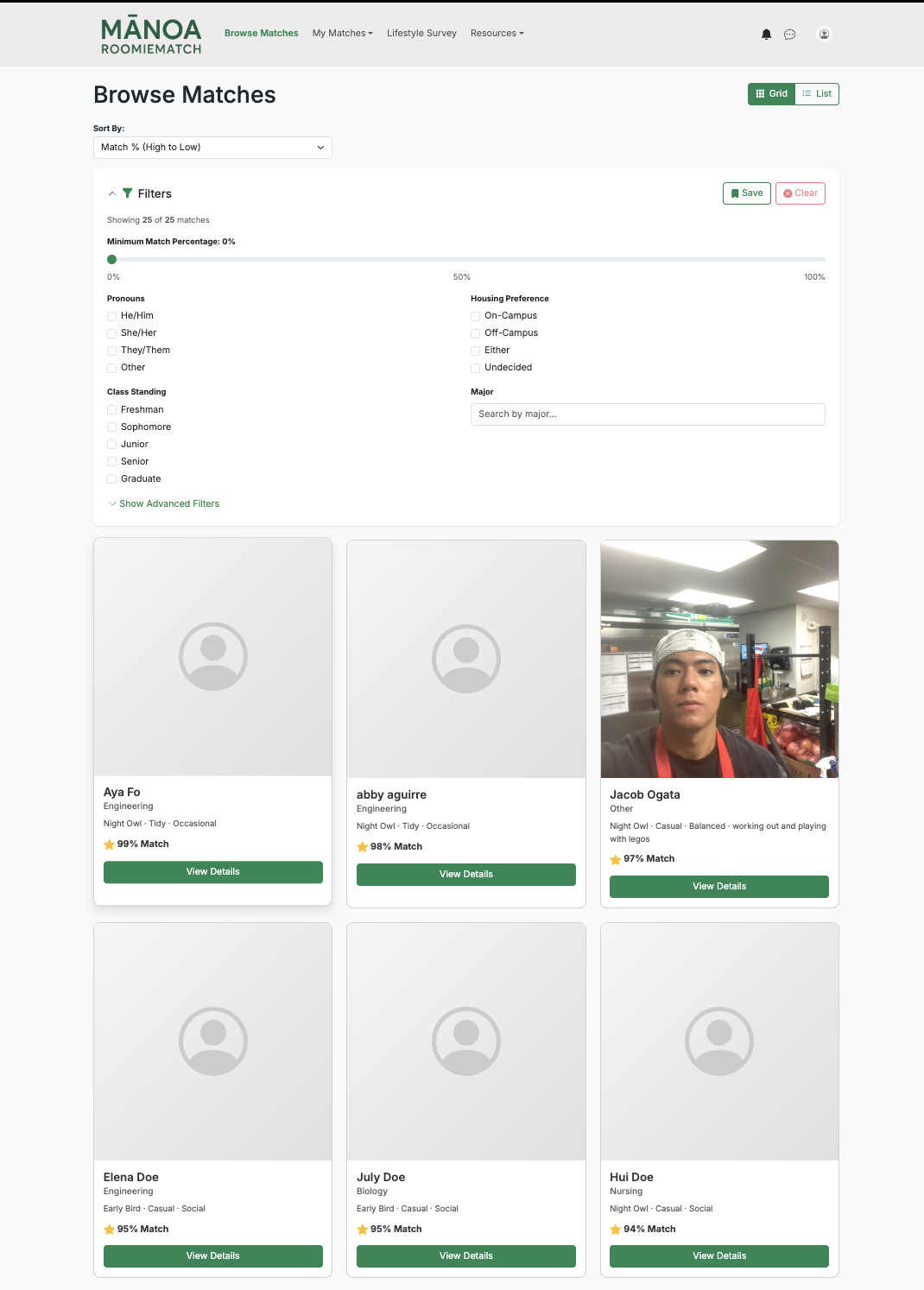
Browse Matches Page
Users can explore potential roommates on the Browse Matches page.
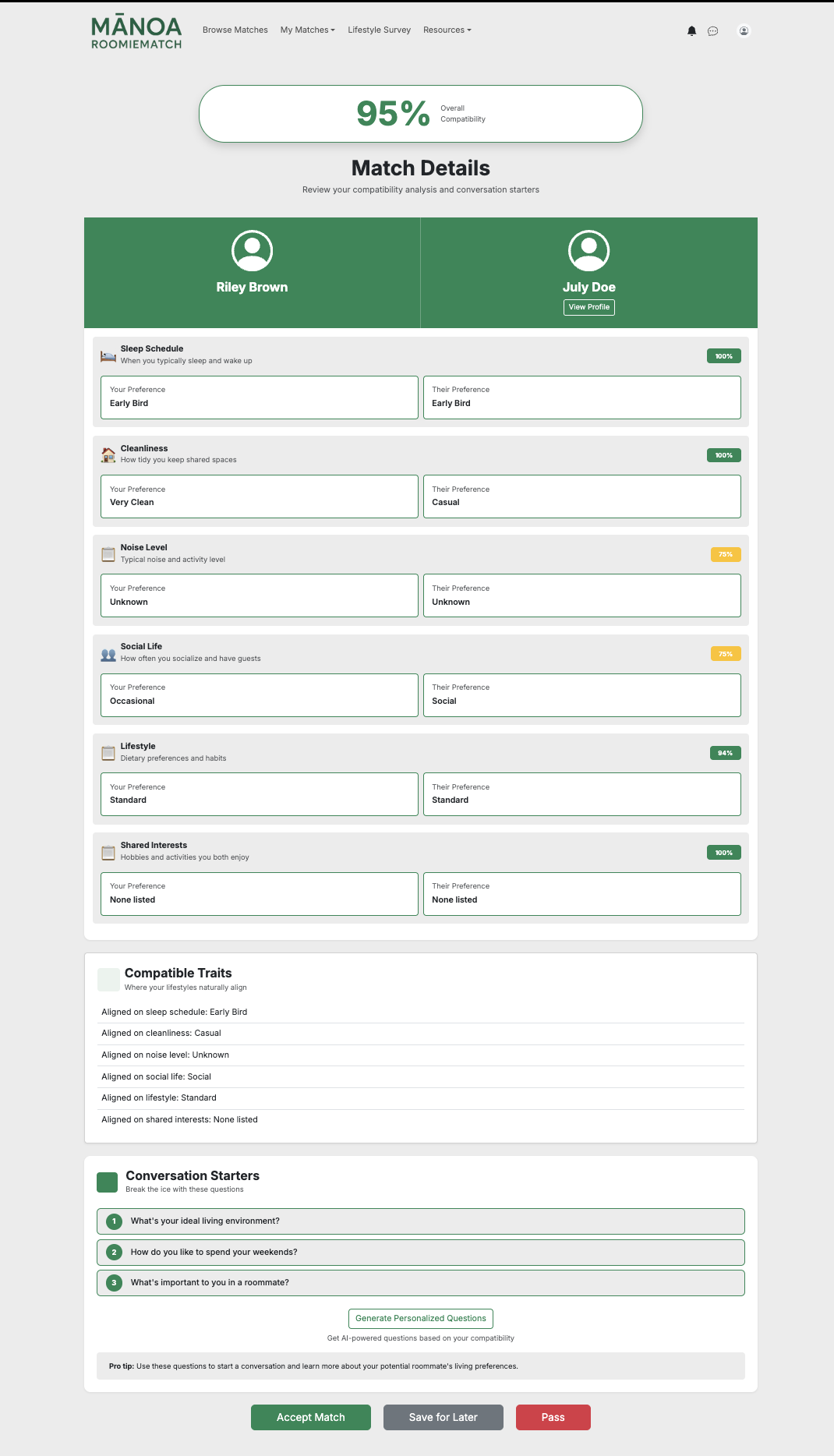
Match Details Page
Selecting a match brings the user to a detailed comparison page.
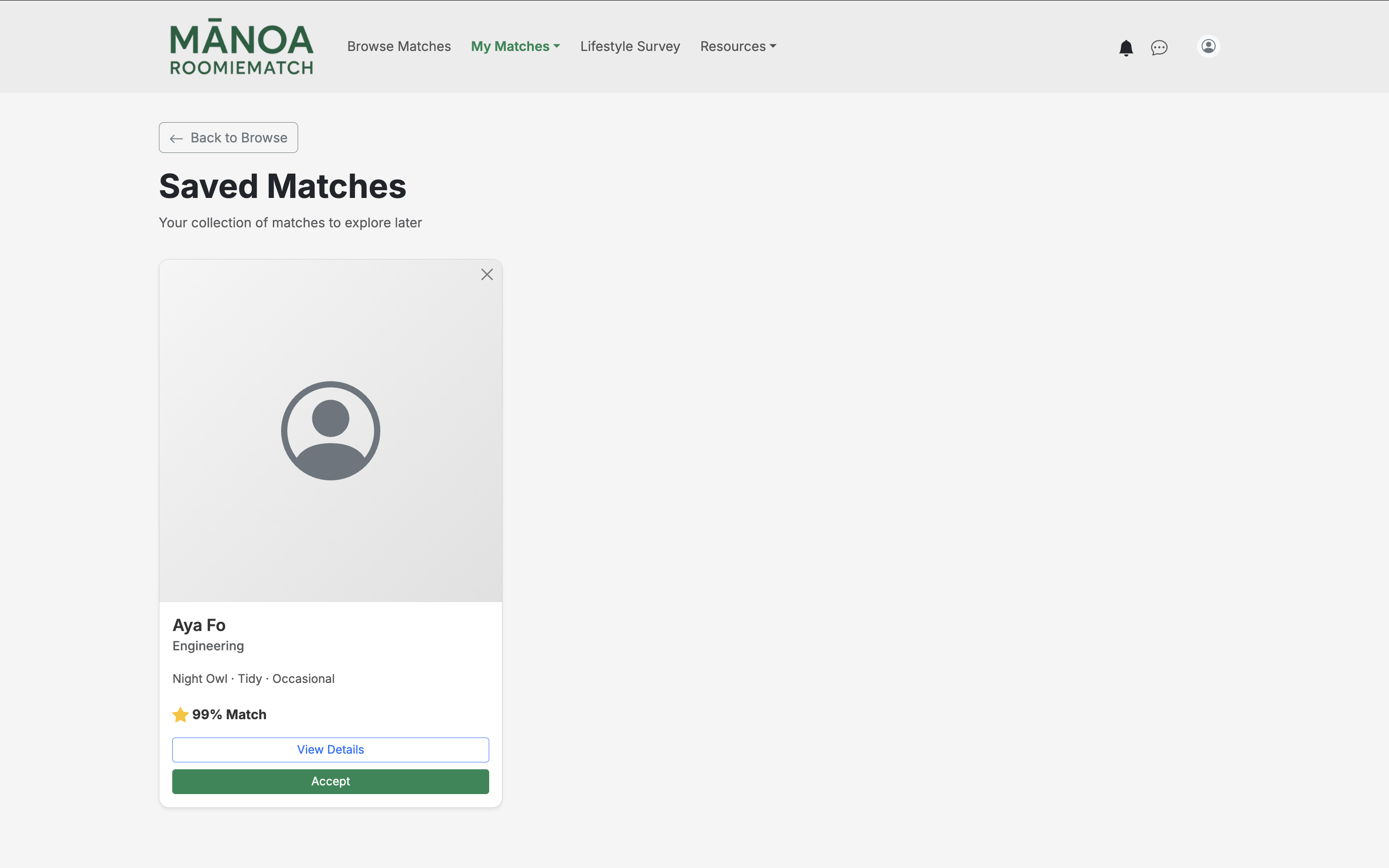
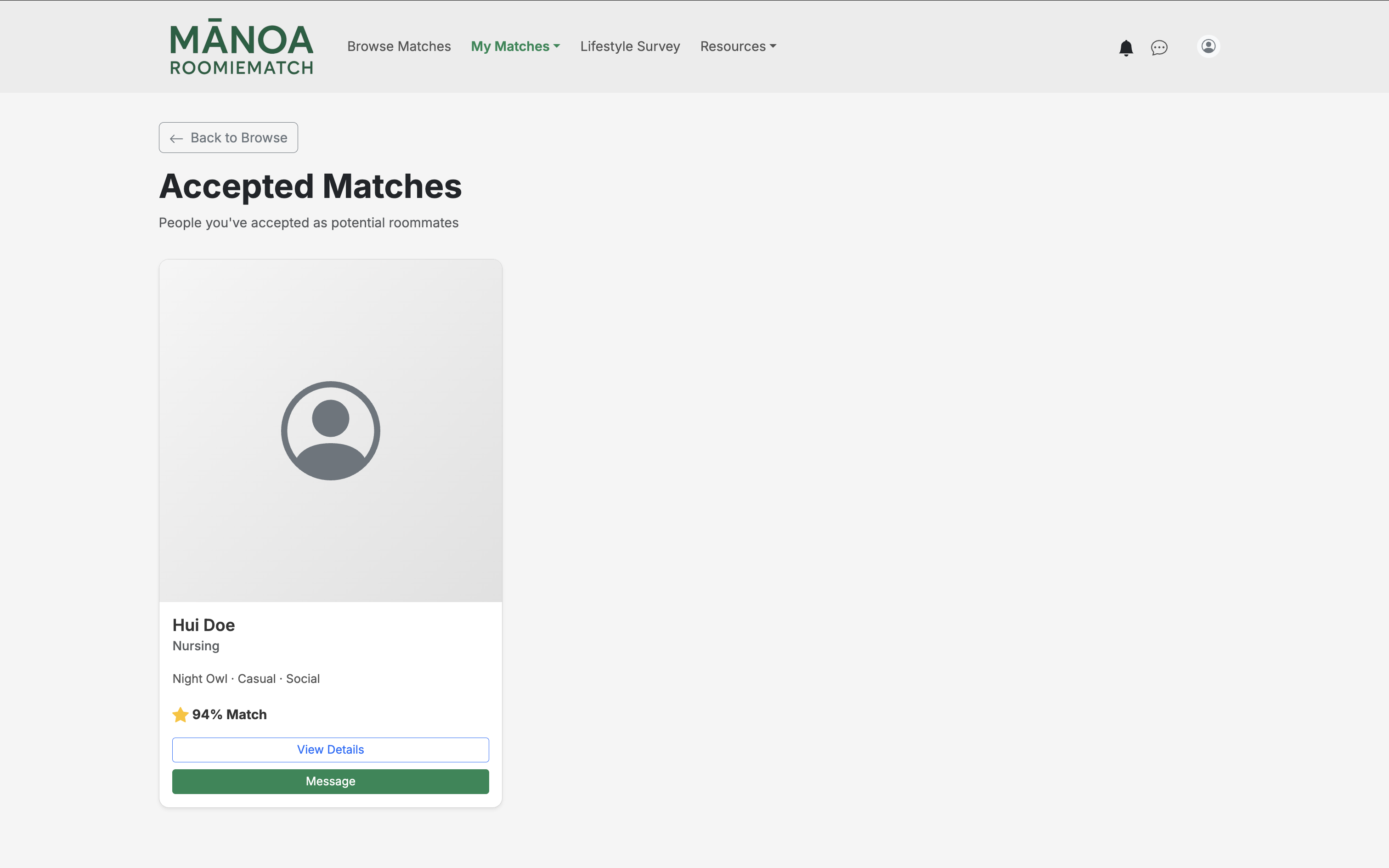
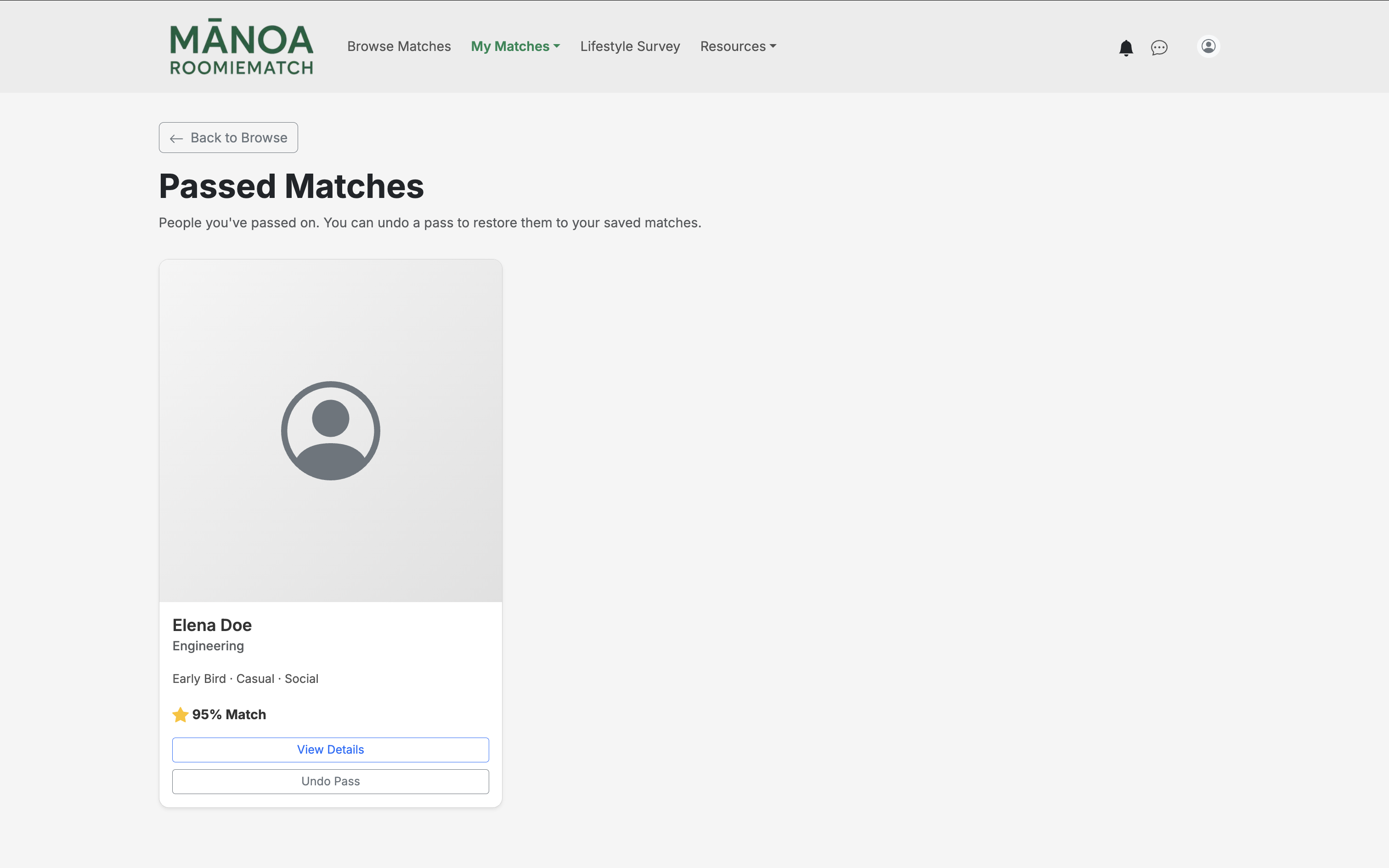
My Matches
The My Matches displays users’ saved, accepted, and rejected matches. Users can review their interactions with other roommates and track the status of potential living arrangements.
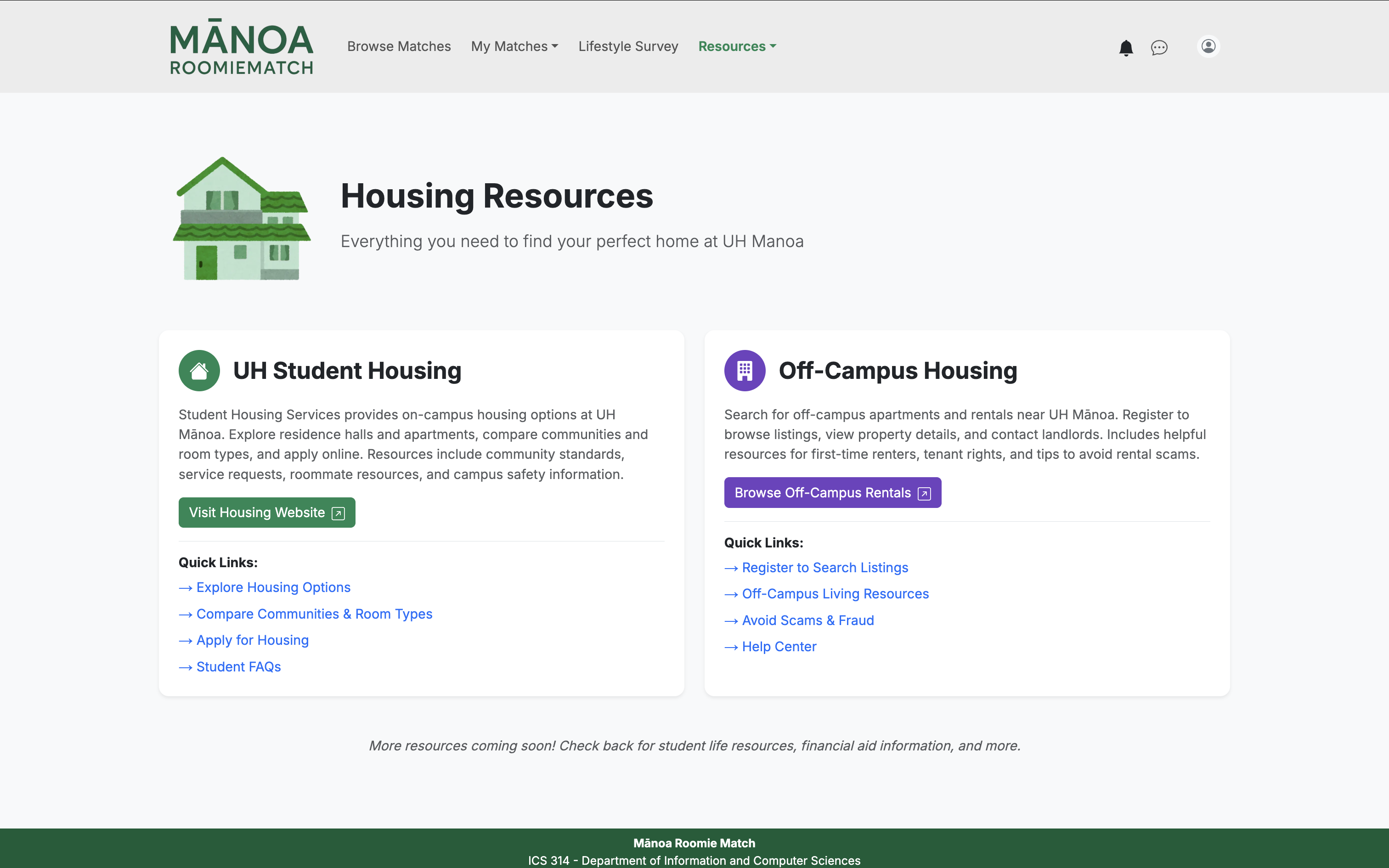
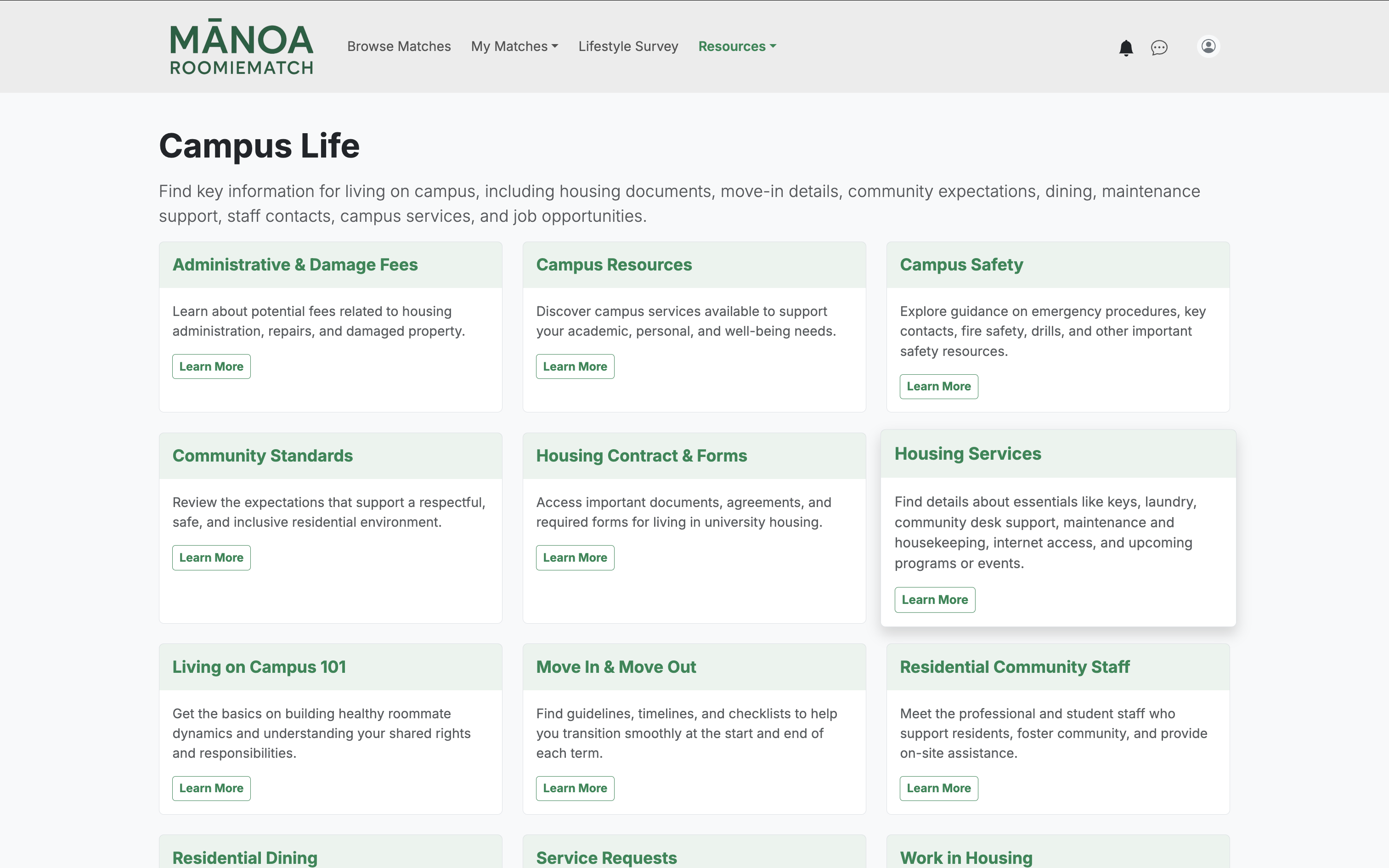
Resources
The Resources provide helpful information for students, including housing guides and campus life tips to support their roommate search and transition to on-campus or off-campus living.
Messages
Users can communicate directly with their matched roommates.
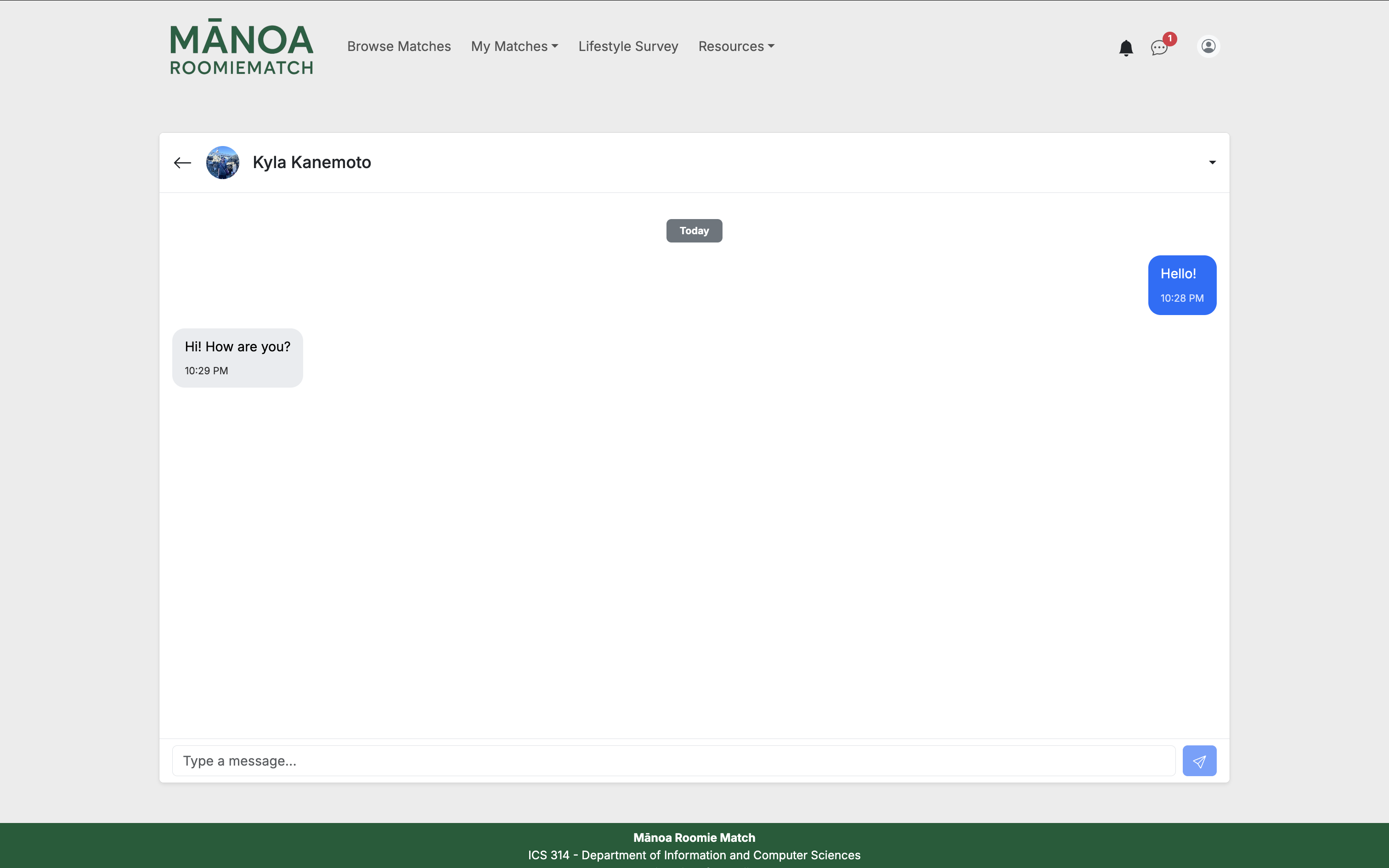
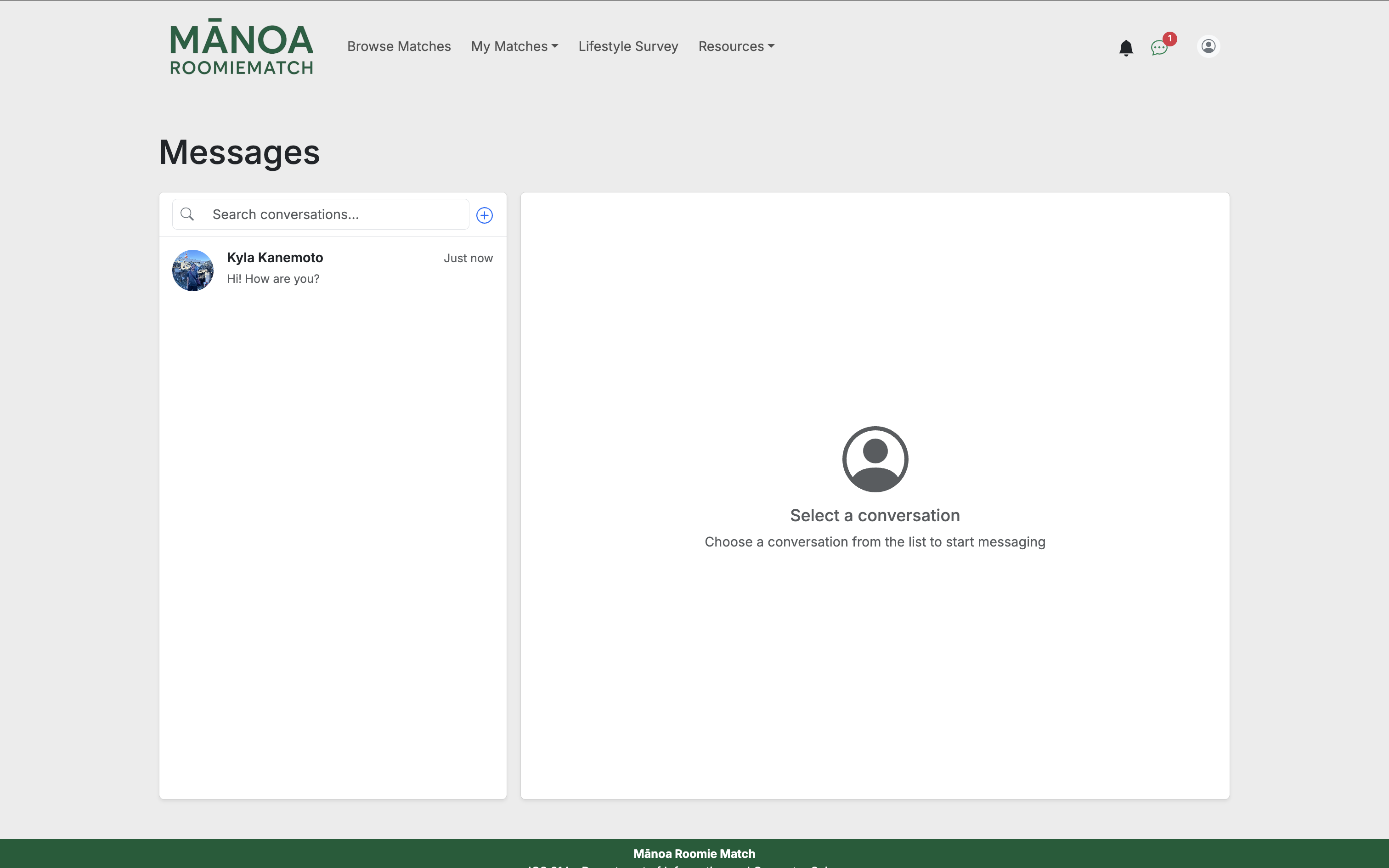
It provides a simple chat interface for sending and receiving messages, helping students coordinate and get to know each other before moving in.
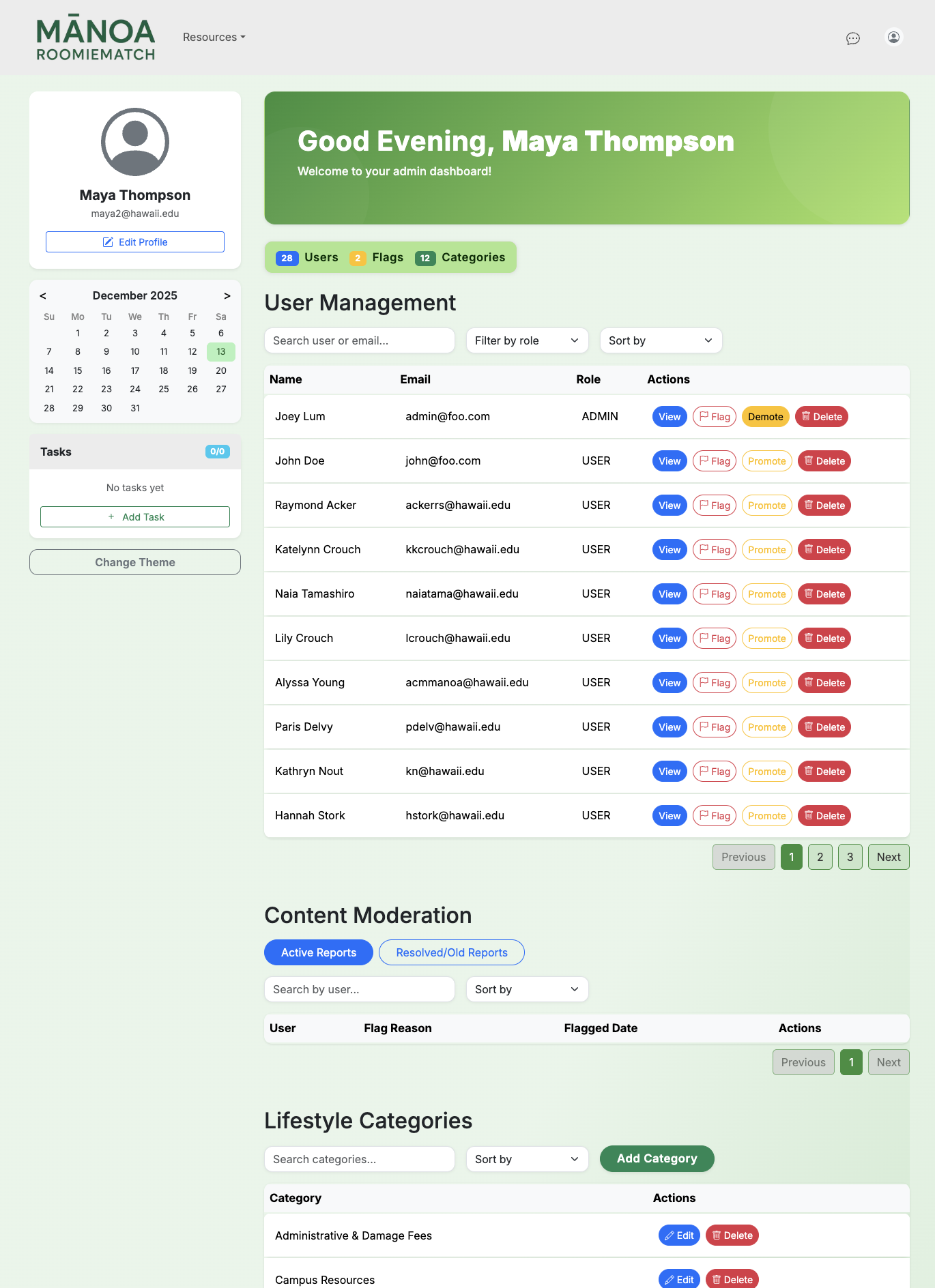
Admin Home Page
The Admin Home Page provides tools for managing the platform and maintaining content quality.
Community Feedback
Base on UH user’s experience, the website is easy to navigate and appealing to look at. Users enjoy the matching functionality, where they could see other’s profile pictures and different catagories on why they were compatible to become roommates.
Some users say that there should be more questions for the lifestyle survey to get more personalize matches and more filters on potential roomates.
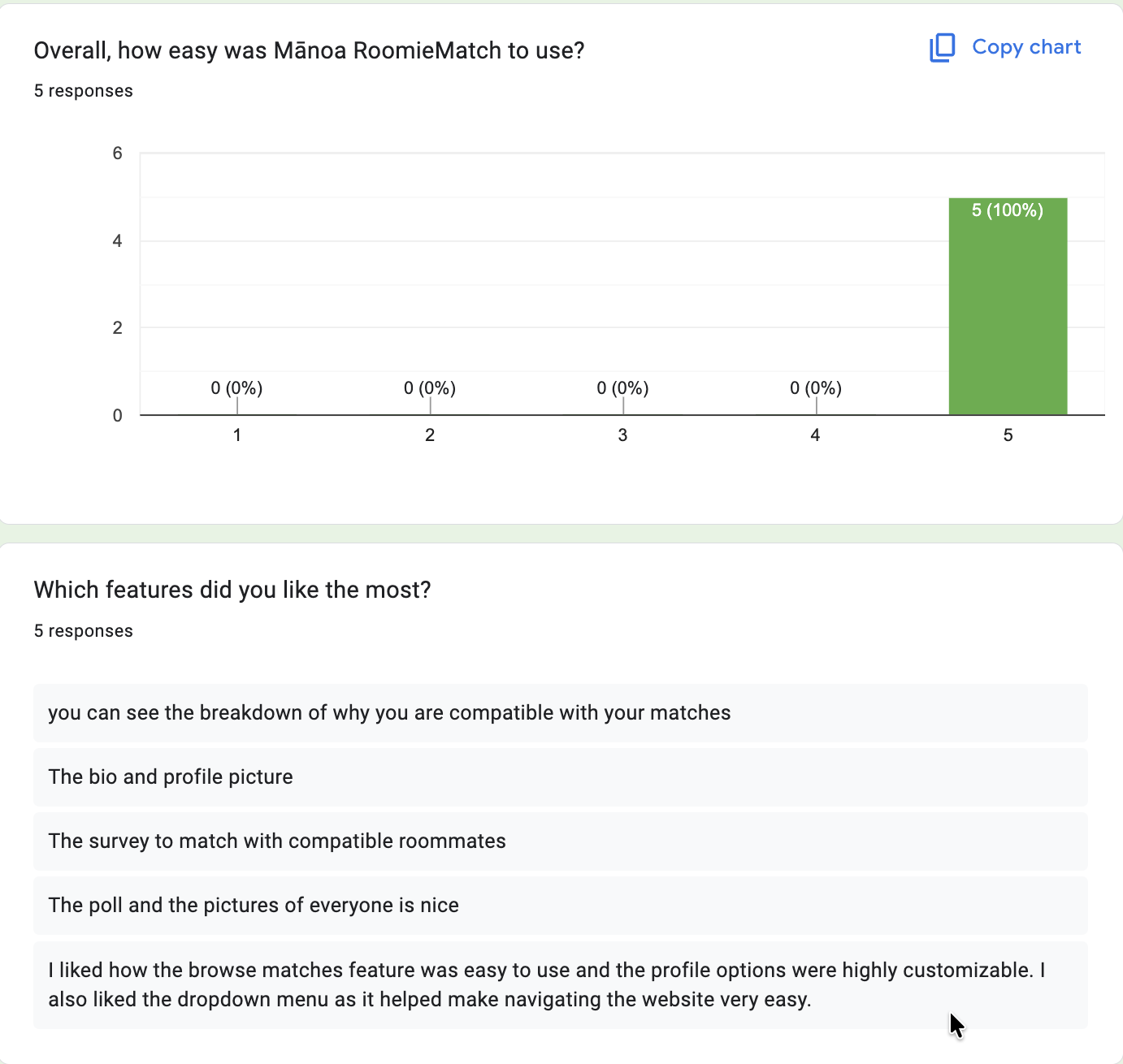
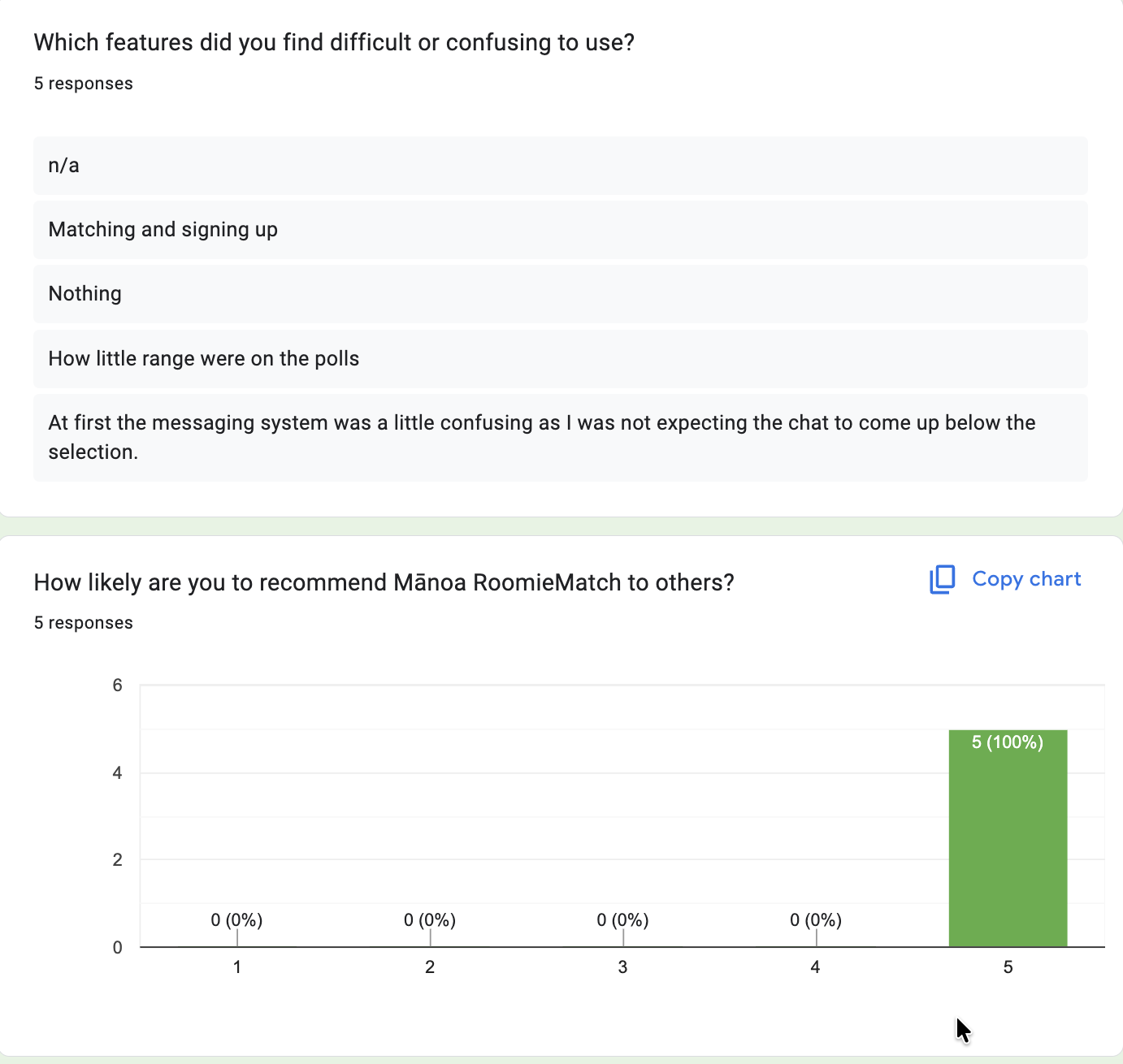
We are interested in your experience using Mānoa RoomieMatch! If you have the time, please fill out our feedback form. Thank you for using Mānoa RoomieMatch!
Developer Guide
This guide provides all the information for developers who wish to use this for their own development. Including installation, configuration, and running the Roomie Match application.
Installation
Install PostgreSQL
Download and install PostgreSQL
Create a new database for the application:
$ createdb manoaroomiematch
Create Your Repository
- Visit the ManoaRoomieMatch application GitHub page.
- Click “Use this template” to create your own repository with a copy of the application.
- Complete the dialog to generate your repository.
- Alternatively, you can download the repository as a zip file or fork it.
Clone Your Repository
Use GitHub Desktop (recommended for Mac/Windows) or Git from the terminal to clone the repo.
$ git clone <your-repo-url>
$ cd <your-repo-folder>
Install Dependencies
Install third‑party libraries:
$ npm install
Environment Setup (.env)
- Copy the
sample.envfile and rename it to.env. - Set the
DATABASE_URLto point to your PostgreSQL database.
Example:
DATABASE_URL="postgresql://username:password@localhost:5432/manoaroomiematch"
Set Up Prisma
Run Prisma migrations to initialize your PostgreSQL tables:
$ npx prisma migrate dev
Seed the database:
$ npx prisma db seed
Running the System
Start the development server:
$ npm run dev
On first run, the app initializes default data in the database.
Viewing the Running App
Open your browser and go to:
You may log in with any seeded accounts or register a new user.
Deployment
You can deploy Roomie Match to Vercel easily.
Sign in to Vercel
Go to https://vercel.com and log in with GitHub.
Import Your Repository
Click “New Project” → Import Git Repository
Select your manoaroomiematch repository.
Configure Environment Variables
Add the same environment variables from your .env file to Vercel:
DATABASE_URL pointing to a hosted PostgreSQL database (you can use Supabase, Heroku Postgres, or any cloud DB)
Build & Deploy
Vercel automatically detects a Next.js app.
Click Deploy.
After deployment, Vercel will provide a URL for your live app.
Optional
If using Prisma, run migrations and seed your production database separately.
You can add a vercel.json if you need custom build settings.
Application Design
This application is built using Next.js, React, and PostgreSQL. React and React Bootstrap handle the user interface, while all data operations run through Next.js API routes. The structure follows a standard full-stack pattern: forms on the client submit to server endpoints, which validate input and interact with the database.
Data model
The data model is organized around several primary tables—including User, Profile, Match, Message, and the Lifestyle Category / Question / Option definitions. These core tables are supported by a set of relationship (join) tables, such as Lifestyle Response, Flag, Notification, and the paired-user structure inside the Match table.
To illustrate the design approach, consider how the application records lifestyle question responses.
Design choice #1: Give each user a field containing all of their lifestyle answers in a single embedded structure. While this works for simply displaying a user’s information, it becomes impractical when you need to search in the opposite direction—such as finding all users who selected a particular option or computing compatibility between two users. Scanning through embedded answers inside every user becomes slow, rigid, and difficult to extend.
Design choice #2: The application instead stores lifestyle answers in a separate table, where each row represents one user’s response to one question. This provides a simple and consistent way to retrieve:
- Responses for a given user
- Find users associated with a particular question or option
- Compare answers between users for matching
- Update or expand the survey without changing the User table structure This design keeps data clean, avoids duplication, and makes the system easier to query and maintain.
ManoaRoomieMatch implements Design choice #2 to provide clear and efficient relationships between its primary data tables by storing connections such as lifestyle responses, matches, messages, and reports in dedicated association tables rather than placing them inside user records.
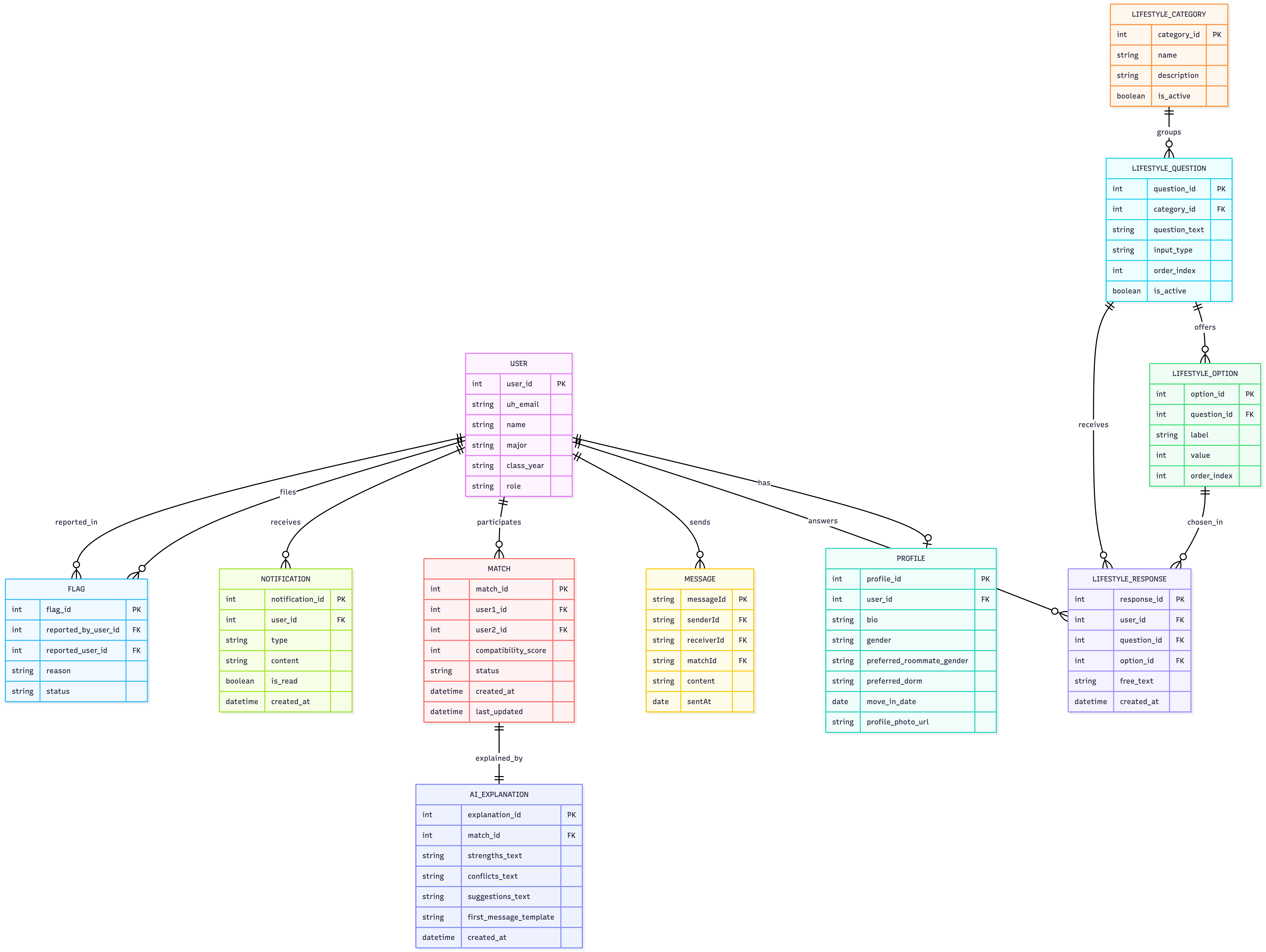
Certain fields in the schema, including user emails, question identifiers, and option identifiers, must be unique so they can function as dependable primary keys. These constraints ensure that each record can be referenced unambiguously and that relationships between tables remain consistent and predictable.
Initialization
The config directory is intended to store the settings files. The repository currently contains: config/settings.development.json.
This file defines the default development data and their relationships. These settings give the app a consistent structure during development and testing.
Quality Assurance
ESLint
ManoaRoomieMatch uses the ESLint coding standard throughout the application. You can run it with:
$ npm run lint
If there are no ESLint errors, you will see:
✔ No ESLint warnings or errors
End to End Testing
ManoaRoomieMatch uses Playwright for end-to-end testing. Each .spec.ts file verifies that pages load correctly, UI components behave as expected, and key user flows work from the browser’s point of view.
Test Structure
All tests live in tests/ and are grouped by role:
- User tests — profile editing, lifestyle survey, matches, messaging, and general navigation.
- Admin tests — admin-only interfaces such as user management and content moderation.
- Public tests — landing, sign-in, sign-up, and error pages.
Availability & Form Tests
The auth-utilis.ts,core-features.spec.ts,signin-suspension.spec.ts ensures:
- All public and authenticated routes load.
- Navigation (including the navbar) works for both user and admin sessions.
- Sign-in, sign-up, profiles, surveys, messages, password change accept valid input and allow submission.
- Session fixtures provide pre-authenticated user and admin contexts.
Running Tests
Set up the environment:
npm run dev
Run the full suite:
npx playwright test
Open the HTML report:
npx playwright show-report
Running Specific Test Groups
You can filter by suite name:
npx playwright test -g "Public Pages"
npx playwright test -g "Authenticated User Pages"
npx playwright test -g "Admin Pages"
npx playwright test -g "Navigation"
npx playwright test -g "Form Validation"
Writing New Tests
Create a new .spec.ts file in tests/.
Playwright includes a code generation utility that captures UI actions and outputs equivalent test code, which can be useful for rapidly creating new and accurate end-to-end tests.
Launch the tool with:
npx playwright codegen http:/localhost:3000--load-storage=<user-auth>.json
This starts a browser session using the provided storage state and streams the generated Playwright commands to the console. The resulting code can be copied into a new .spec.ts file and refined as needed.
Continuous Integration

ManoaRoomieMatch uses GitHub Actions to automatically run ESLint and Playwright tests each time a commit is made to the default branch. You can see the results of all recent “workflows” at https://github.com/manoaroomiematch/manoaroomiematch/actions.
The workflow definition file is quite simple and is located at .github/workflows/ci.yml
Development History
The development process for BowFolios conformed to Issue Driven Project Management practices. In a nutshell:
- Development consists of a sequence of Milestones.
- Each Milestone is specified as a set of tasks.
- Each task is described using a GitHub Issue, and is assigned to a single developer to complete.
- Tasks should typically consist of work that can be completed in 2-4 days.
- The work for each task is accomplished with a git branch named “issue-XX”, where XX is replaced by the issue number.
- When a task is complete, its corresponding issue is closed and its corresponding git branch is merged into master.
- The state (todo, in progress, complete) of each task for a milestone is managed using a GitHub Project Board.
- The following sections document the development history of ManoaRoomieMatch.
Milestone 1: Mockup pages development
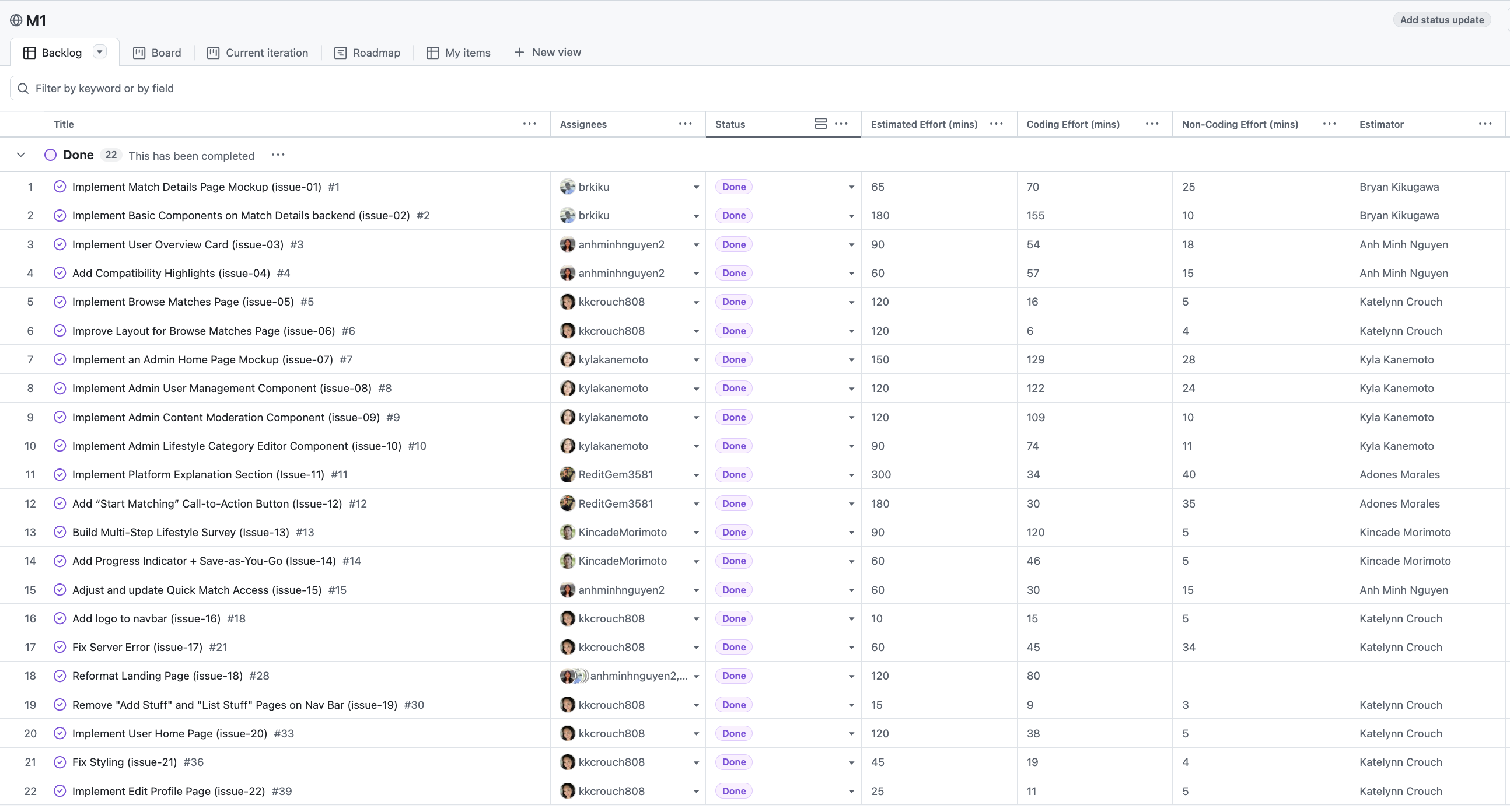
The goal of Milestone 1 was to create AI-Generated photos of the UI for this project. Then, implement mockup pages to the website.
Milestone 1 was managed using Manoā RoomieMatch GitHub Project Board M1:
Milestone 2
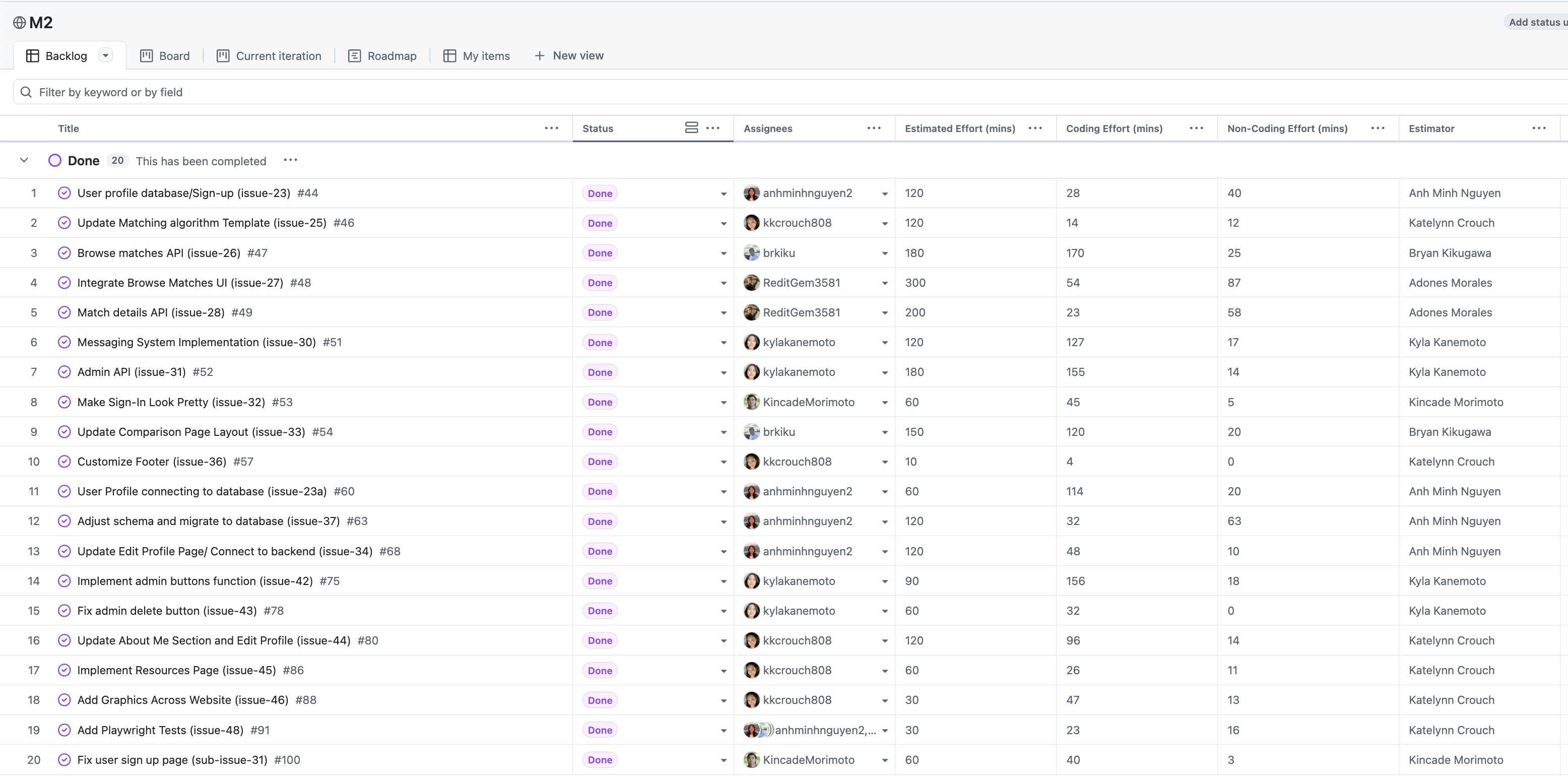
The goal of Milestone 2 was to use the completed front-end pages and improve the functionality. In this Milestone we will be focusing on the back-end components (e.g database, page linking, API, etc.).
Milestone 2 was managed using Manoā RoomieMatch GitHub Project Board M2:
Milestone 3
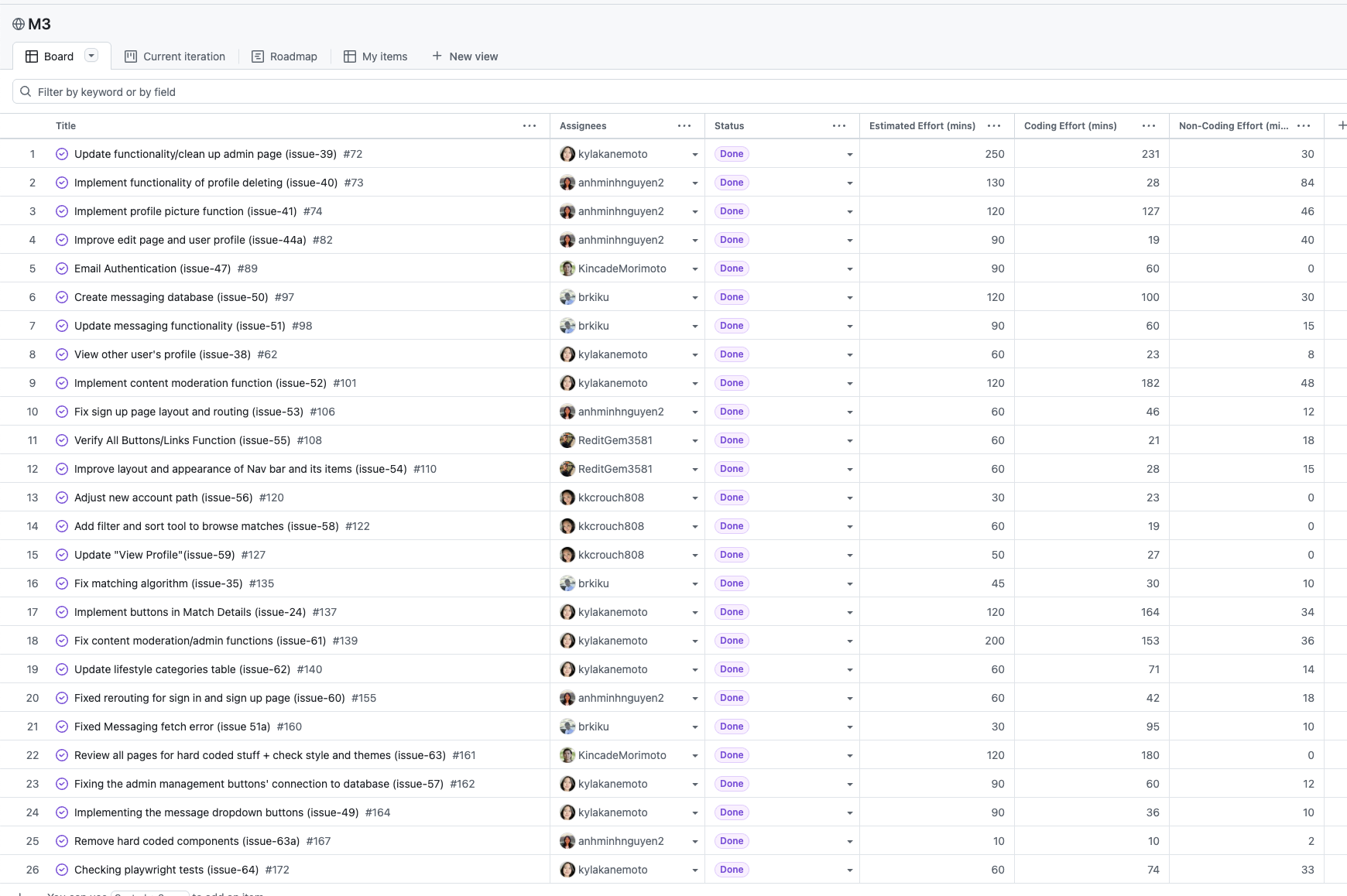
Significantly improved the functionality of the website comparing to M2. Implemented playwright testing to make sure that all the buttons/components on the pages work and incorporate a significant amount of “real” data into and from the database.
Milestone 3 was managed using Manoā RoomieMatch GitHub Project Board M3:
Effort Estimation Tracking Sheet
Team members input their effort estimation on this Google Sheets. It includes the summary of their issues and methods for tracking.
Example enhancements
After building the core features, the following advanced options can enhance the platform:
- UH Authentication for Verification – Integrate UH Single Sign-On to verify that all users are current UH students, improving trust and campus safety.
- Advanced Matching Insights – Display analytics such as compatibility heatmaps, potential conflict alerts, and personalized compromise suggestions to help users make informed roommate choices.
- Messaging system: Users can now message other user despite their match compatibility.